
How to Deposit and Withdraw amounts from the 99PAK Game?
Description
The Deposit and withdrawal process for the 99PAK game is very easy to understand; anyone can quickly deposit and withdraw money from the game within minutes. Here, we go over the deposit and withdrawal procedures step by step, which will help you solve all of your concerns.

Deposit process of 99PAK Game APK
- First, open the 99PAK game. Then, the home screen of the game will be displayed on your phone.
- Now, click on the buy coins option.
- Select the payment method that you would like to use to deposit money.
- After that, select the amount you want to add to your gaming account.
- If you select the amount, then add a deposit, and the deposit process is redirected to your browser.
- So, put your wallet account number and get an OTP number
- The OTP that few seconds. If you put the OTP in your browser options, then wait for the notification from your wallet.
- After that, open your wallet and confirm the approval.
- Now the amount is successfully added to your account.
- Open the 99PAK app and collect your deposit rewards and play the game.
You can deposit funds from an e-wallet, such as Easypaisa and Jazzcash, as well as another option, which is cryptocurrency USDT.
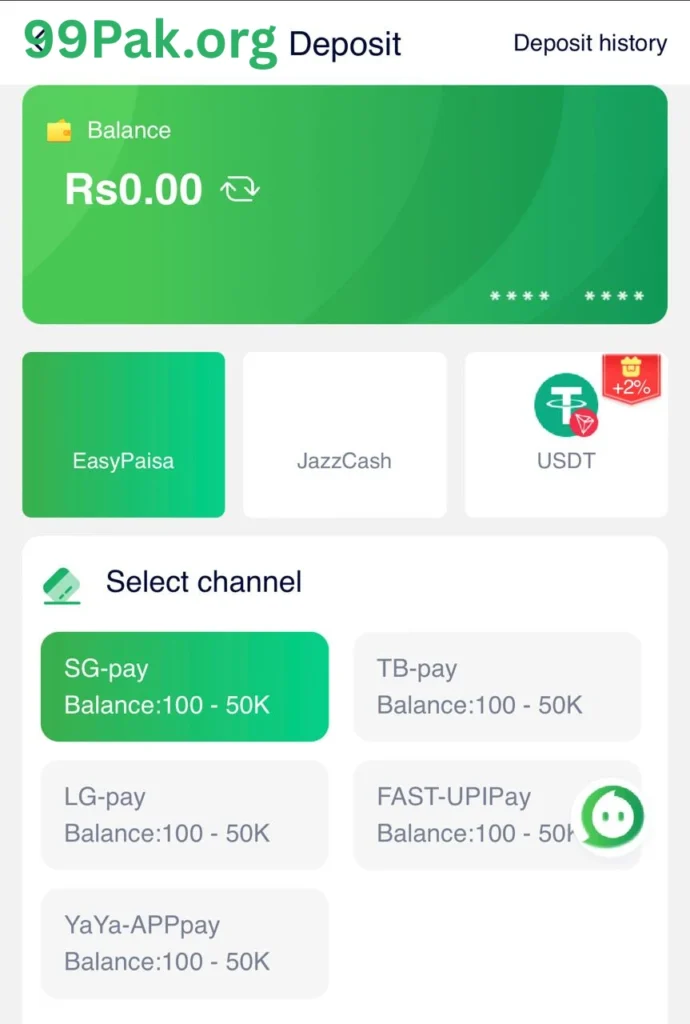
Deposit Methods
- Easypaisa
- Jazzcash
- USDT
Select Channel
- SG-pay balance: 100-50k
- TB-pay balance: 100-50k
- LG-pay balance: 100-50k
- Fast-Upipay balance: 1009-50K
- Yaya- Apppay balance: 100-50k
Recharge instruction
- If the transfer time is up, please fill out the deposit form again.
- The transfer amount must match the order you created; otherwise, the money cannot be credited successfully.
- If you transfer the wrong amount, our company will not be responsible for the lost amount!
Note: Do not cancel the deposit order after the money has been transferred.
Withdrawal Process of 99PAK Game APK
Withdrawal methods
- Bank Transfer
- E-wallets E.g, (Easypaisa, Jazzcash)
- USDT
If you want to withdraw your winning money to your wallet, some important options are discussed below. Read them carefully.
- First, open the app and tap the withdrawal button.
- After that, select your E-wallets, E.g, Easypaisa or Jazzcash, and bank transfer.
- Selecting the wallet now, put your wallet account number
- After the account number, you need to enter the wallet holder’s exact number.
- Now submit your request.
- After all that, your withdrawal process is ready, so enter your withdrawal amount and tap the withdrawal button. It takes a few minutes to complete your transactions.
- You can check your withdrawal records.
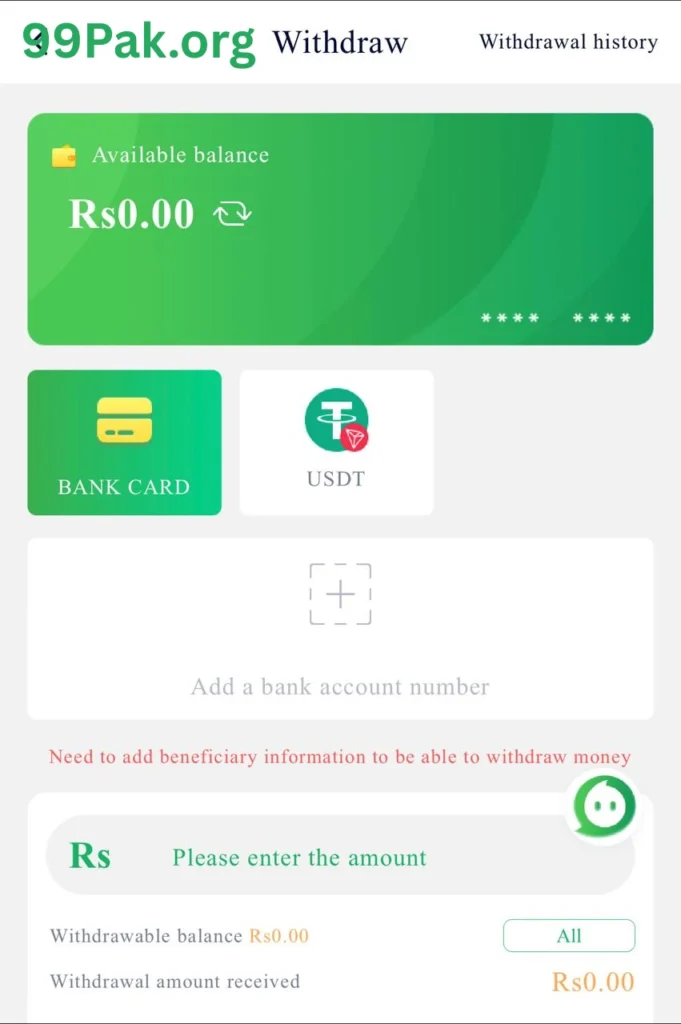
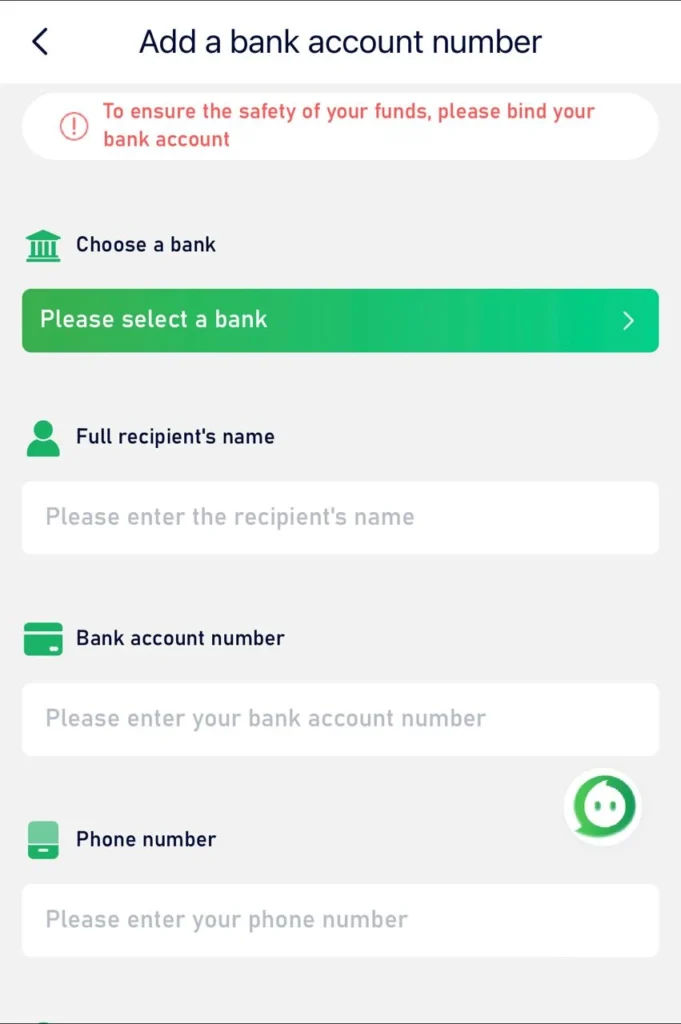
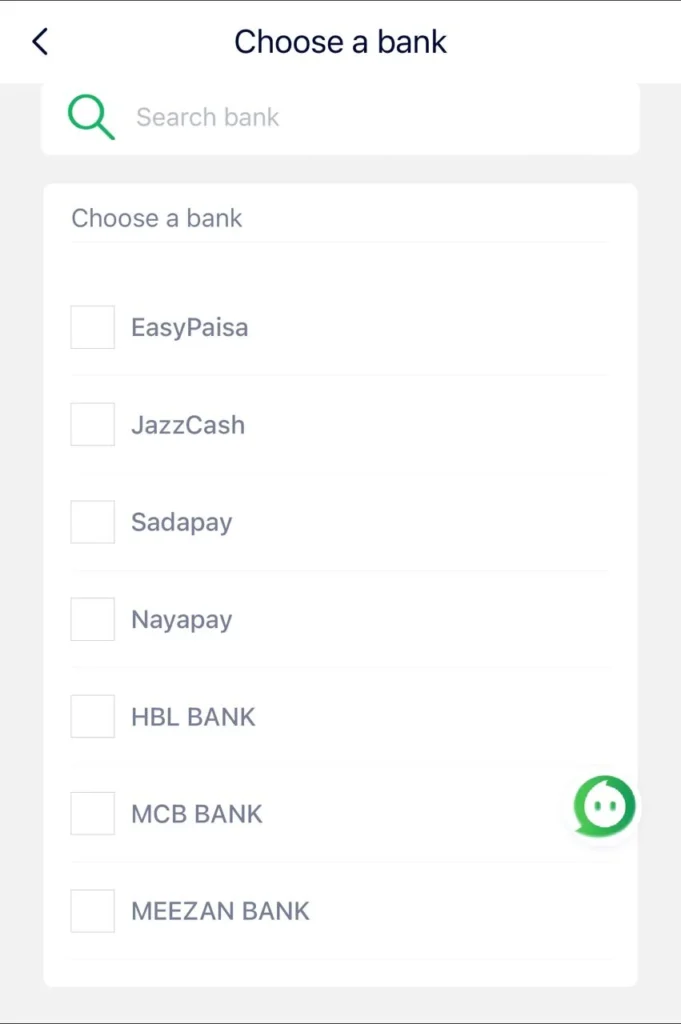
Note: minimum withdrawal range is 500 to 50000, and withdrawals more than 1 time per day fee is 3%.
Conclusion
If the amount is returned to your gaming account, then don’t worry about this issue, because sometimes the withdrawal process is on maintenance. During the maintenance of the 99PAK game, some problems are created, so stay patient and enjoy your gaming journey.